Campaign
Choose the workflow and market context.
GMIP turns recurring gold-price maintenance into a campaign-based WordPress workflow. Schedule price refreshes, separate price-only updates from editorial publishing, monitor queued work, inspect run results and keep recurring automation visible from inside the product.
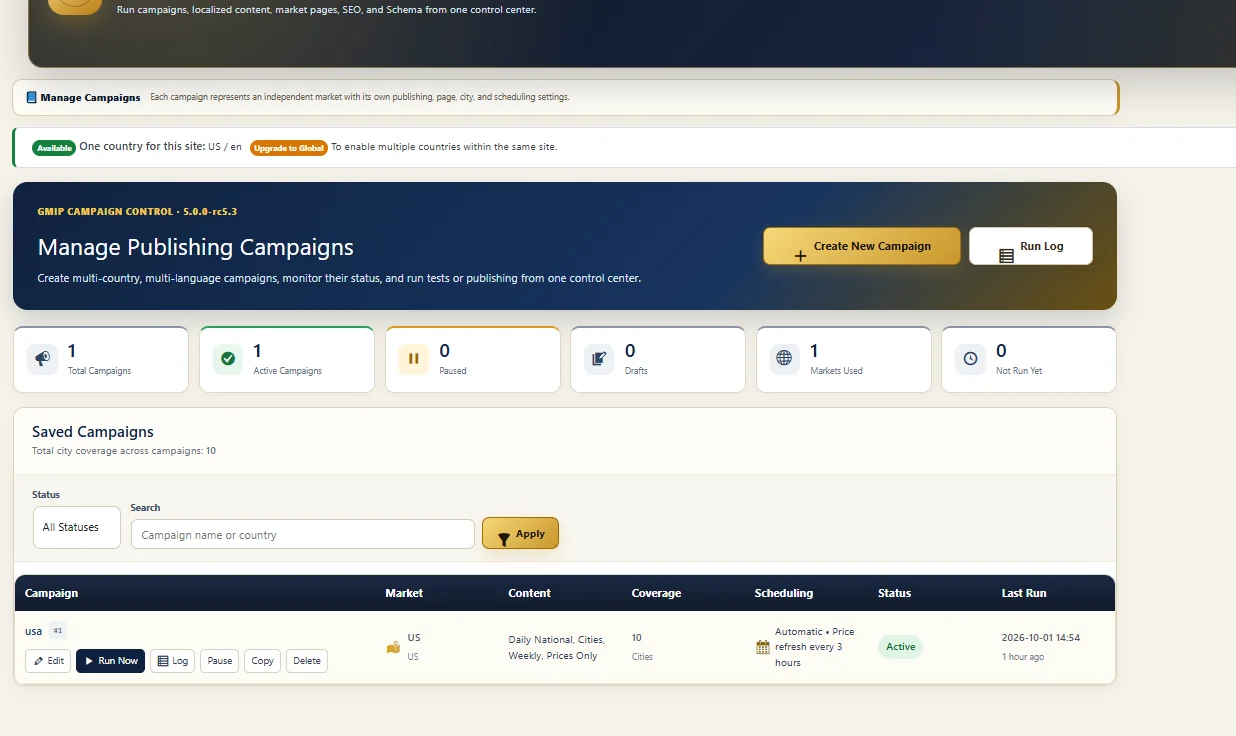
A recurring gold-price workflow has several moving parts: retrieve current data, decide whether the job is a price refresh or a publishing task, execute it on schedule, avoid duplicate work, and record the result. GMIP brings those pieces into one campaign system instead of leaving them as unrelated manual steps.
Choose the workflow and market context.
Run manually or according to a recurring schedule.
Retrieve data through configured API-source roles.
Operational tasks enter the campaign execution flow.
Update price data or run the selected content workflow.
Apply recurring-work safeguards and duplicate protection.
Record the run result, timing and execution details.
GMIP separates price maintenance from editorial publishing. In the Campaign Builder, Price Updates Only appears alongside Daily National Report, City Content and Weekly Report as its own workflow.
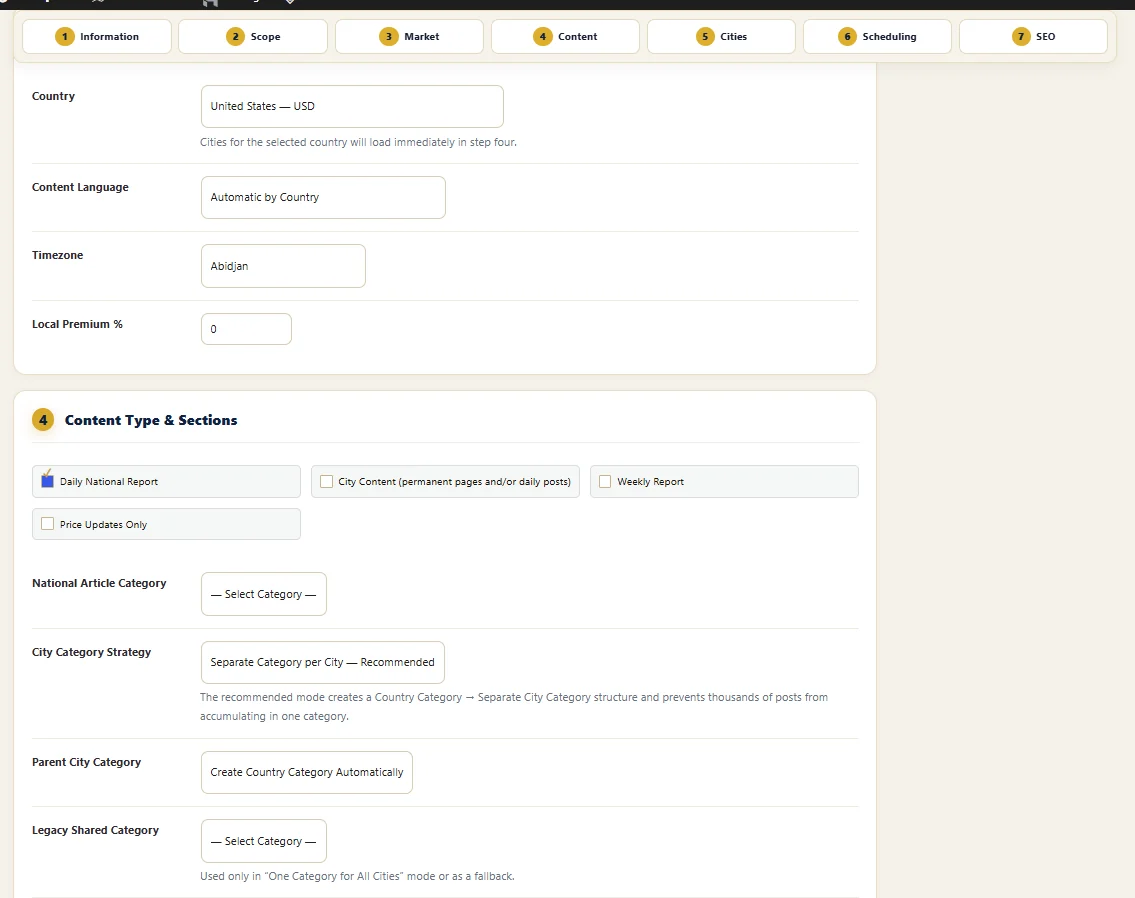
The GMIP campaign architecture supports manual and recurring scheduling. The current campaign interface also provides a visible example of an active automatic price refresh configured every 3 hours.
Useful for testing, controlled operations or workflows that should not run automatically.
Use interval-based execution for recurring price or publishing jobs.
Appropriate for recurring national reporting and scheduled market operations.
Keep weekly reporting separate from more frequent price refresh activity.
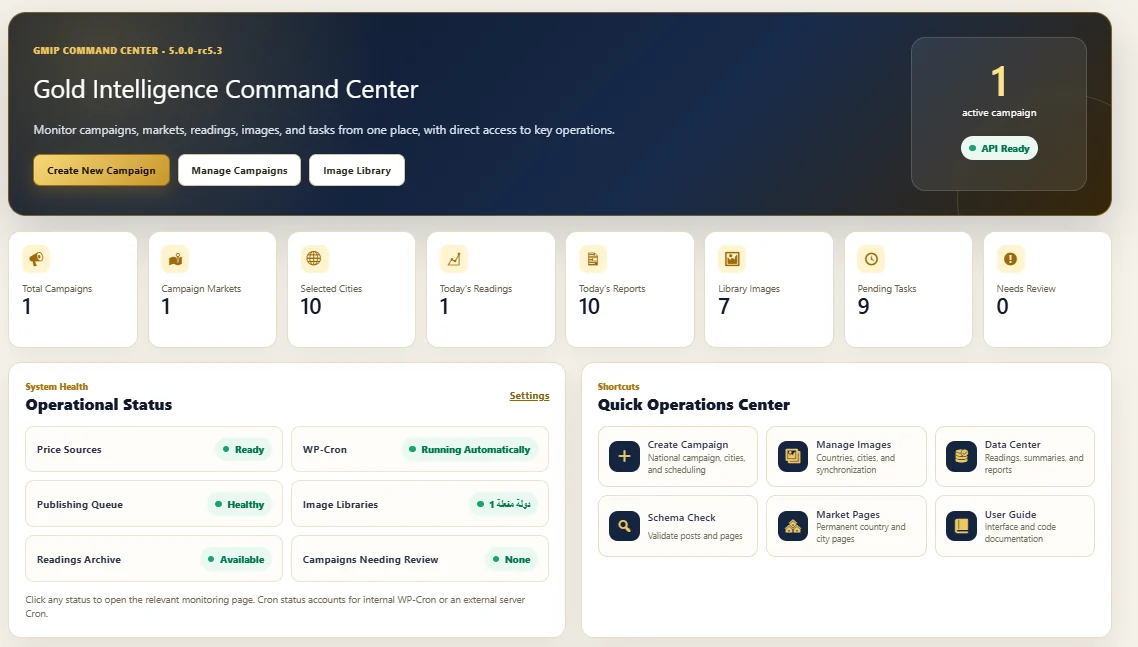
The GMIP Command Center exposes the parts that matter when recurring work is running: price-source readiness, WP-Cron status, publishing-queue health, pending tasks, image-library availability and campaigns that need review.
An automated task is easier to trust when the publisher can see whether the scheduler, queue and data sources are healthy instead of discovering problems only after content becomes stale.
The documented GMIP campaign architecture is designed so a due campaign can be divided into smaller jobs such as market-price retrieval, national content, city work, weekly reporting and run finalization. That makes the operation easier to track and retry than a single opaque process.
Retrieve the market data required by the campaign and update its price context.
Create or update the national-report task when that content mode is enabled.
Process selected cities as individual campaign work rather than one unbounded block.
Complete the run and update the campaign's run status and operational statistics.
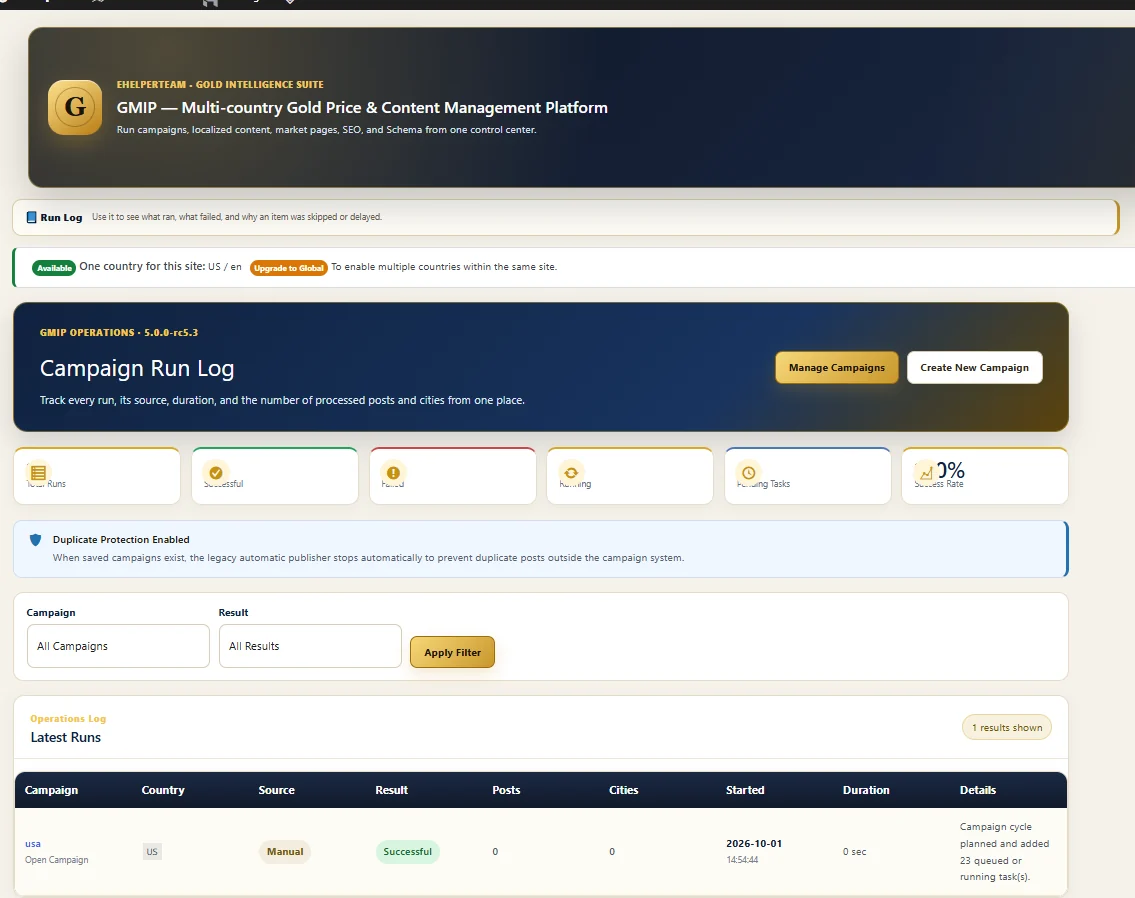
GMIP gives recurring automation a traceable run history. The current Run Log shows the campaign, country, source, result, posts, cities, start time, duration and execution details for the latest runs.
The current Run Log screen explicitly shows Duplicate Protection Enabled and explains that when saved campaigns exist, the legacy automatic publisher stops to prevent duplicate posts outside the campaign system.
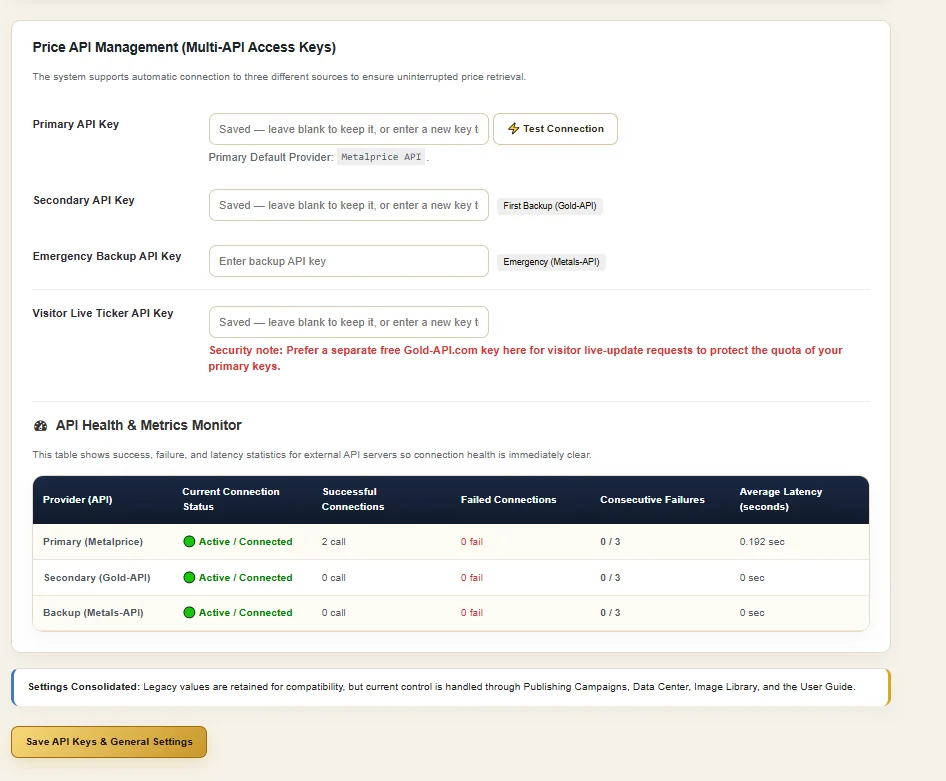
The current Price API Management interface separates source roles into Primary, Secondary and Emergency Backup keys, with a separate Visitor Live Ticker key. It also reports source health through connection state, successful calls, failures, consecutive failures and latency.
Use Price Updates Only when the primary need is maintaining current price information without publishing a new story.
Run price maintenance independently from Daily National Report, City Content or Weekly Report workflows.
GMIP for news websites →Keep price and publishing workflows connected to selected city coverage inside the campaign model.
Explore market & country operations →Use campaigns to connect data, content type, cities, scheduling and SEO into a larger publishing workflow.
Explore content automation →Yes. GMIP uses campaign-based scheduling and includes a Price Updates Only workflow for recurring price maintenance.
No. Price Updates Only is a separate campaign content mode, so price maintenance can be kept separate from Daily National Report, City Content and Weekly Report workflows.
Yes. The campaign architecture supports recurring scheduling, and the current Manage Publishing Campaigns interface visibly shows an automatic price-refresh example configured every 3 hours.
Yes. The Campaign Run Log records the campaign, country, source, result, posts, city tasks, start time, duration and execution details.
The current Run Log interface explicitly displays Duplicate Protection Enabled for the campaign-based publishing workflow.
The current API management interface supports primary, secondary and emergency backup source roles and exposes API health metrics. The campaign architecture is designed so source failures can be observed and recurring operations can be handled through controlled runs rather than an invisible one-off script.
Use the main GMIP pricing section. This feature page focuses on automatic price-update behavior and deliberately avoids duplicating the full pricing table.
Explore the complete GMIP platform and choose the website and market scope that fits your gold-market operation.