Market Data
Start from the selected gold market and its configured price-data sources.
GMIP organizes recurring gold-market work around campaigns. Configure the market, content mode, city coverage, scheduling and publishing rules once, then operate the workflow from one WordPress control center instead of rebuilding the same process on every cycle.
GMIP separates market information from publishing decisions. The market supplies the data context; the campaign determines what the system should produce, where it belongs, when it should run and how the workflow should behave.
Start from the selected gold market and its configured price-data sources.
Create an independent publishing unit with its own configuration and status.
Choose national, city, weekly or price-update-only work.
Apply the campaign to all supported cities or a selected group.
Run manually or according to the configured recurring schedule.
Keep search and structured-data controls inside the campaign workflow.
Create or refresh the configured output instead of rebuilding it manually.
Review system health, pending tasks and campaign run results.
The market represents the gold-market data context. The campaign represents what GMIP should publish, where it should publish it, when the workflow should run and how the publishing rules are applied.
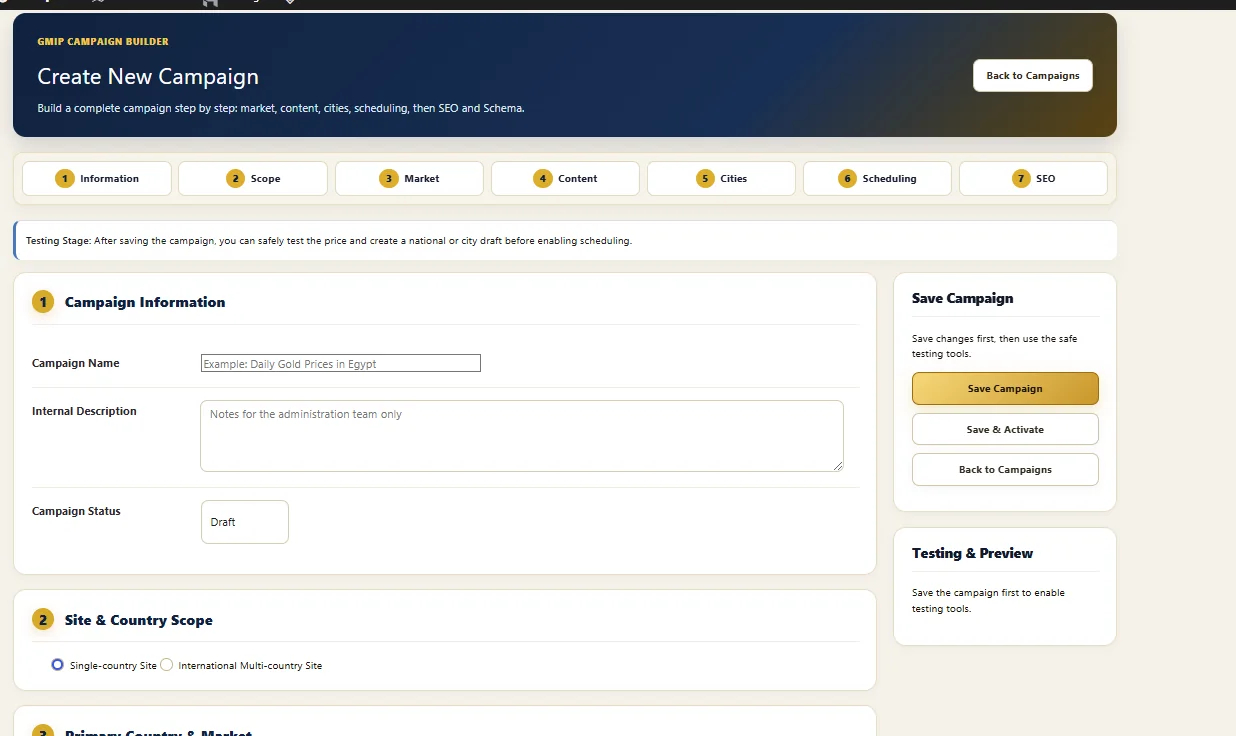
The current GMIP Campaign Builder presents a staged setup rather than a single crowded settings form. This makes the campaign itself the operating unit for recurring publishing.
Name and describe the campaign and control its working status.
Choose single-country or international multi-country site scope where licensed.
Select the country and supporting market context used by the campaign.
Choose the content operation the campaign is expected to perform.
Define the city coverage for location-oriented publishing.
Control manual or recurring campaign execution.
Keep search-focused settings within the same campaign setup flow.
Save, test and review the campaign before enabling recurring operation.
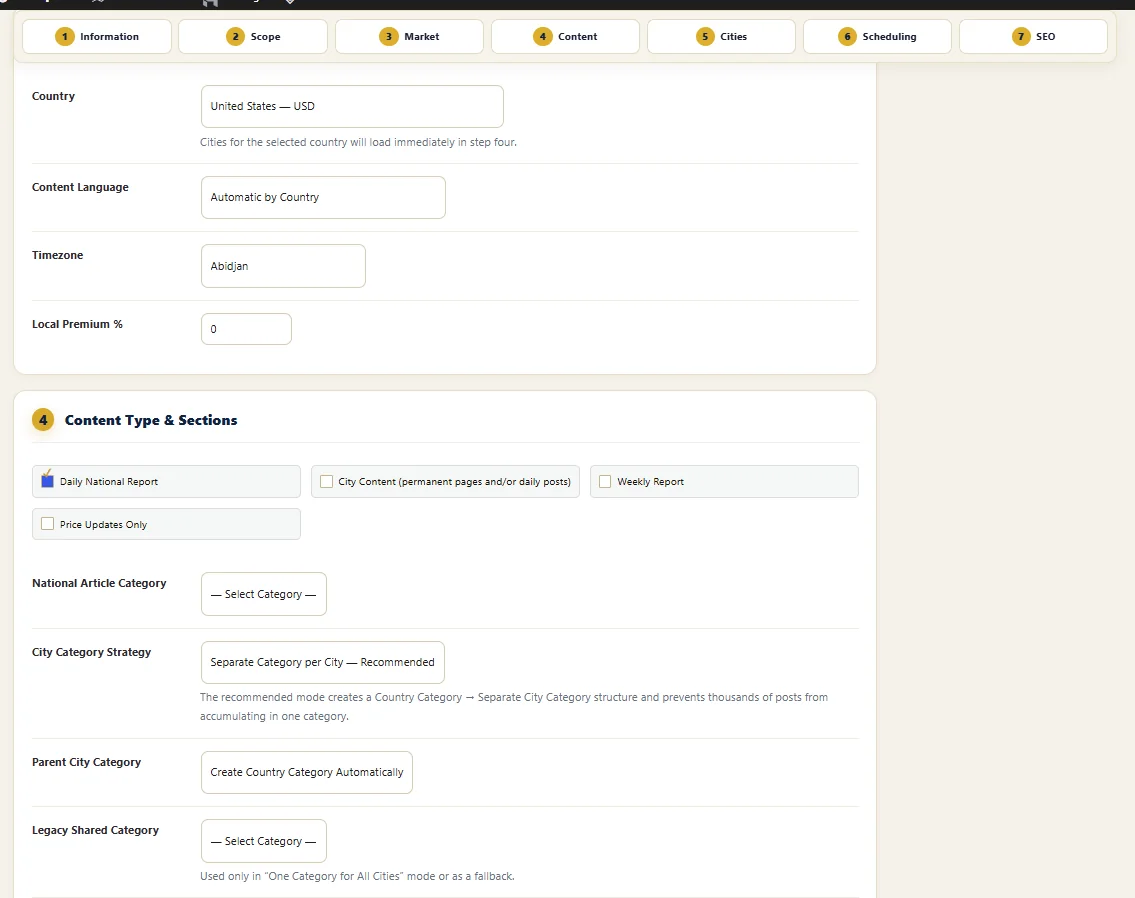
GMIP separates recurring gold-market work into distinct content modes so a national report, city coverage, weekly report and price refresh can operate differently.
Run a recurring national gold-market publishing workflow for the selected market.
Connect campaigns to city coverage and permanent or recurring city-oriented content.
Operate a separate weekly publishing rhythm without mixing it into daily output.
Refresh supported price information without requiring a new editorial article for every price change.
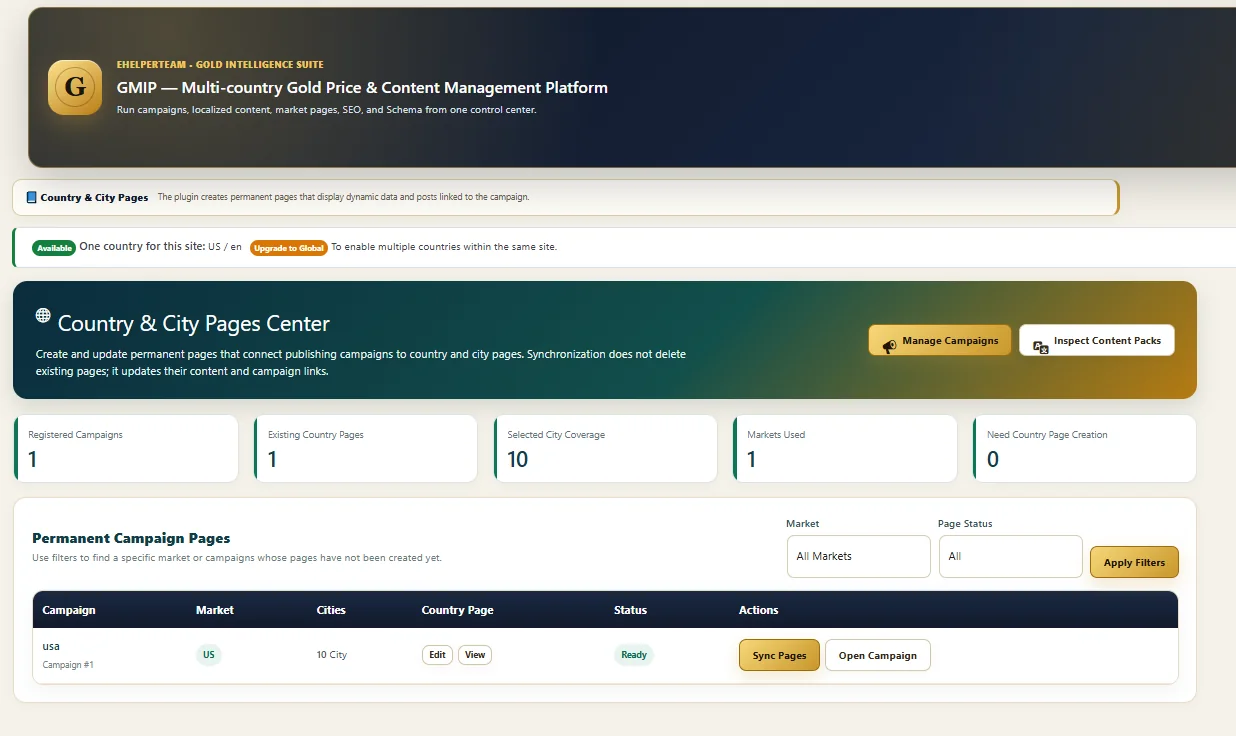
GMIP includes a Country & City Pages Center that links registered campaigns to permanent market pages and selected city coverage. This gives location-based content a place inside the wider publishing system.
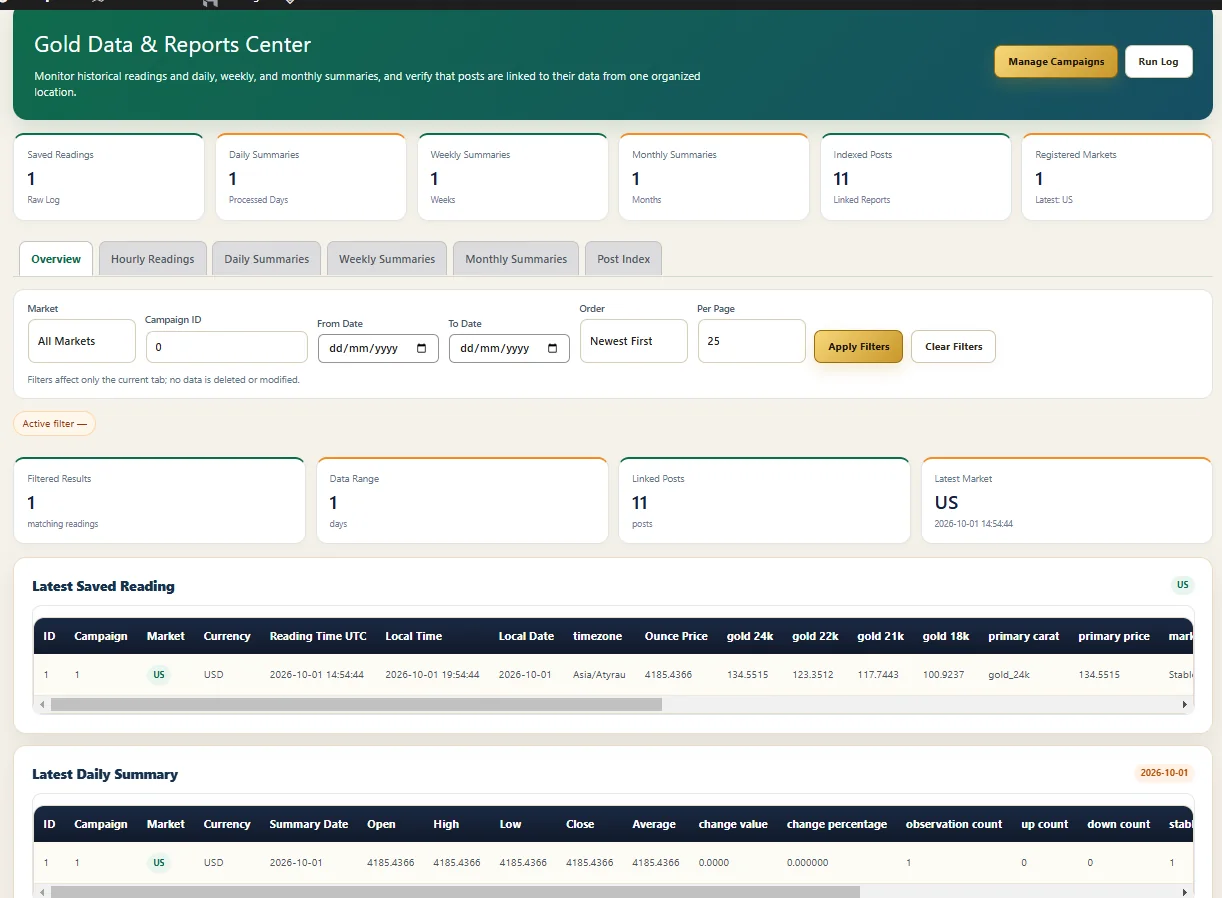
A recurring publishing operation also depends on structured market data and reusable media. GMIP keeps these supporting systems inside the same product environment rather than treating automation as a text-only task.
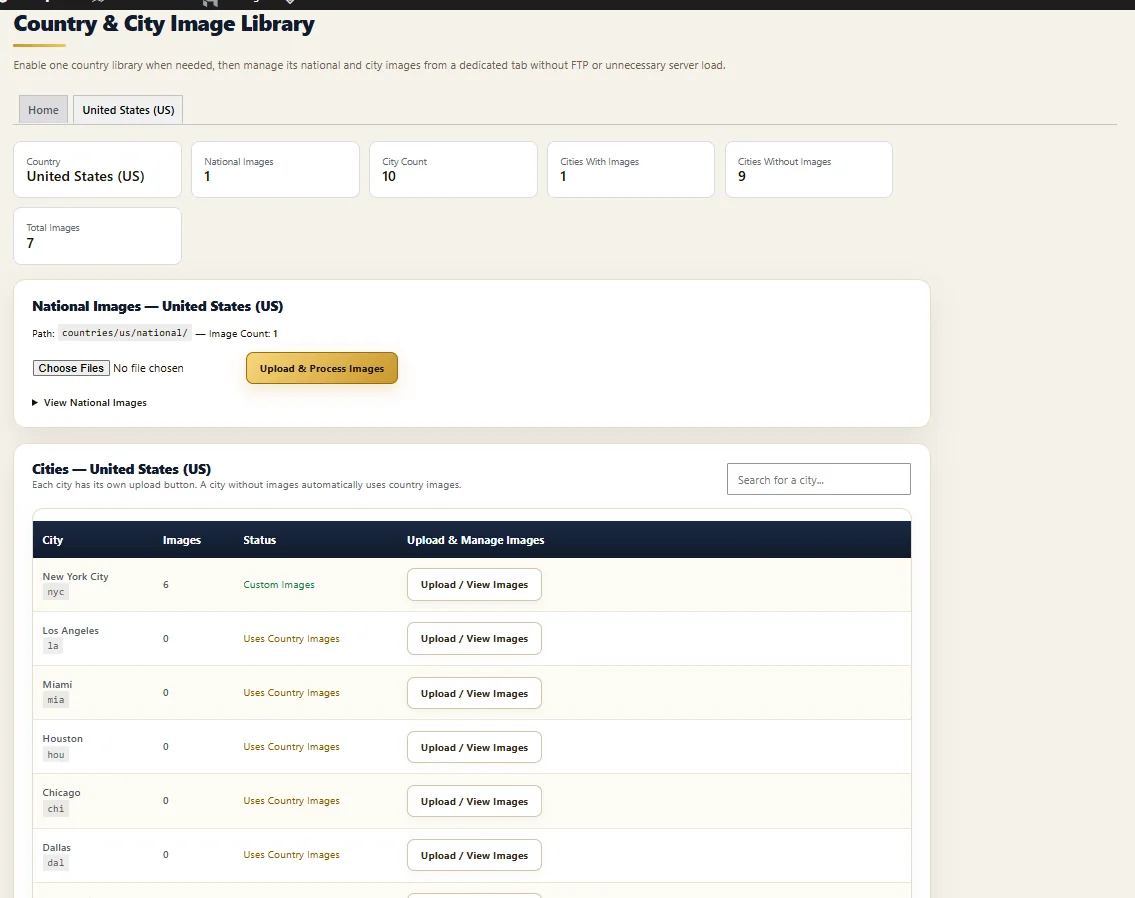
GMIP’s campaign architecture is designed around smaller operating tasks rather than forcing every country, city and publishing action into one oversized execution request.
Handle market price retrieval and the update operation required by the campaign.
Create or update the configured national publishing output when that content mode is enabled.
Operate selected city tasks separately so one location does not have to block the full campaign.
Finish the cycle by updating campaign run state and operational information for review.
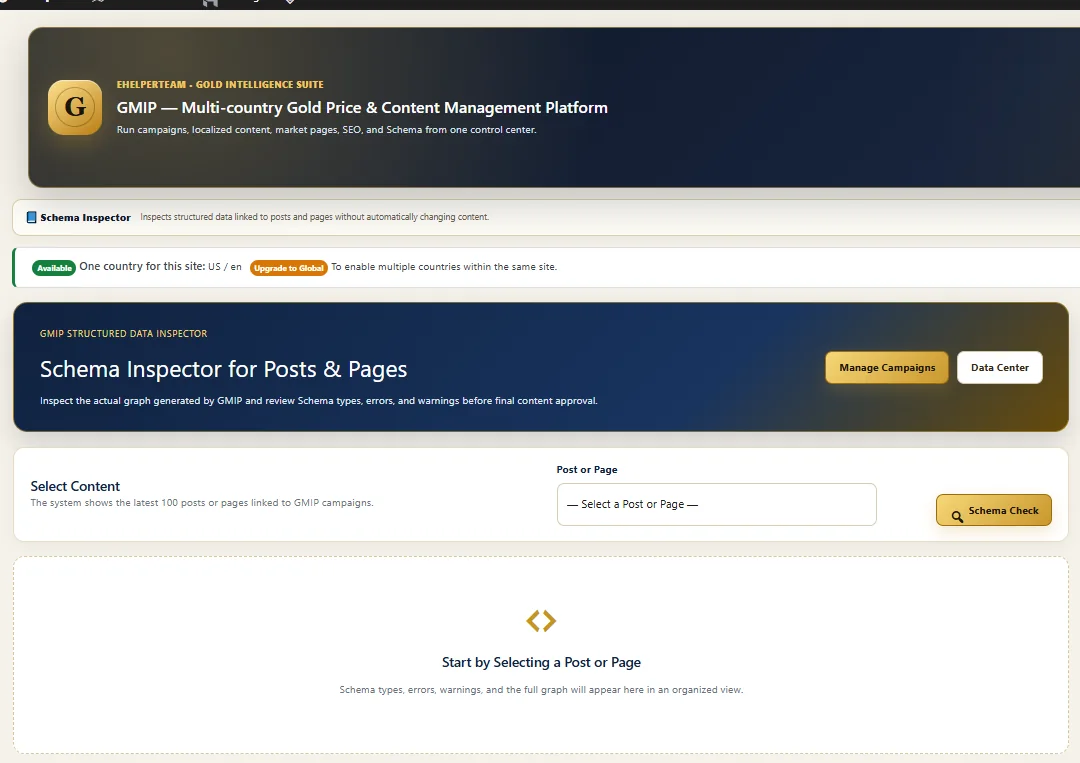
The campaign flow includes an SEO stage, while GMIP also provides Schema inspection tools elsewhere in the product. The goal is operational consistency across recurring content — not a promise of rankings.
Search-related setup remains part of campaign configuration rather than a separate manual checklist after every run.
Inspect structured-data output as part of quality control for supported pages and posts.
Automation assists implementation; content quality, search competition and editorial decisions remain external factors.
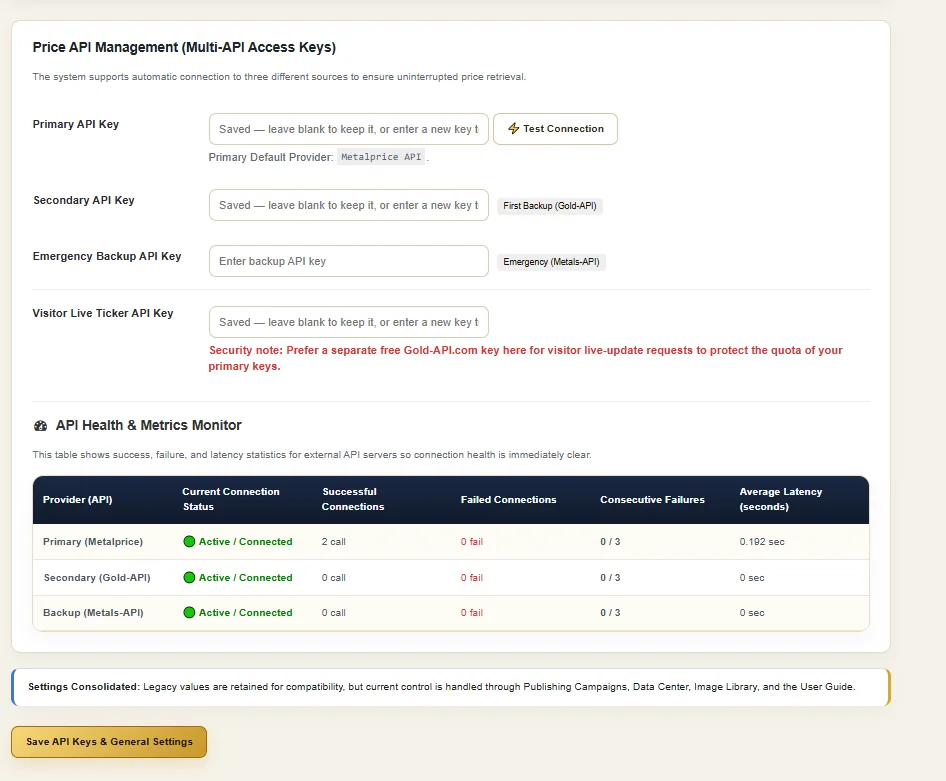
GMIP’s current API management screen supports a primary source, secondary source, emergency backup source and a separate visitor live-ticker key, alongside API health metrics such as connection status, failures and latency.
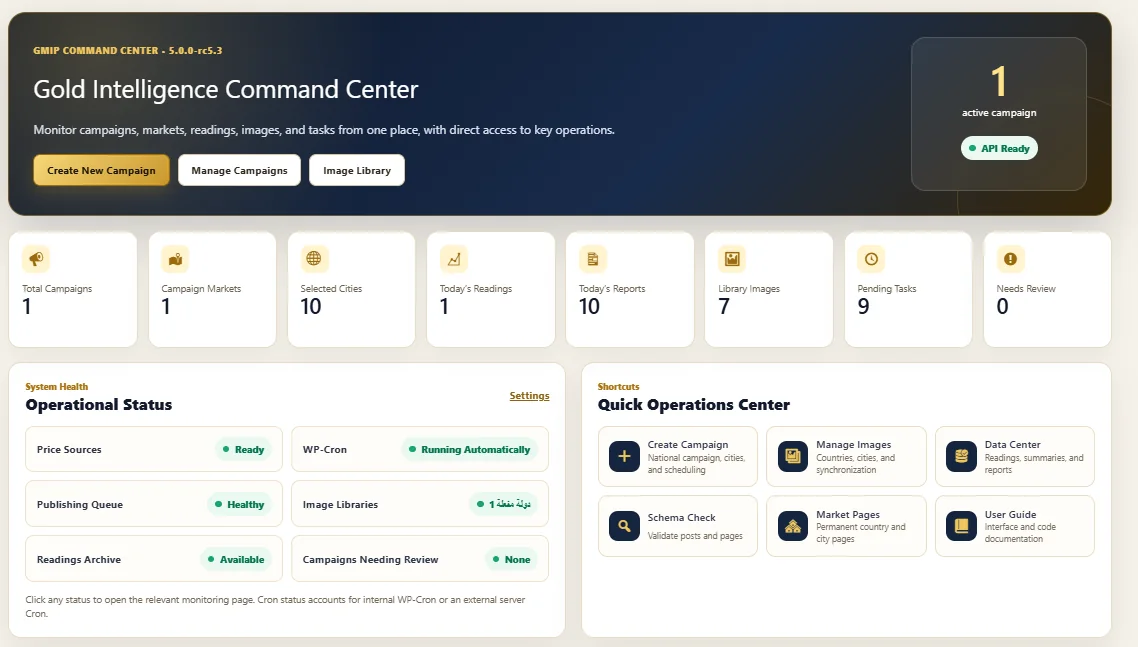
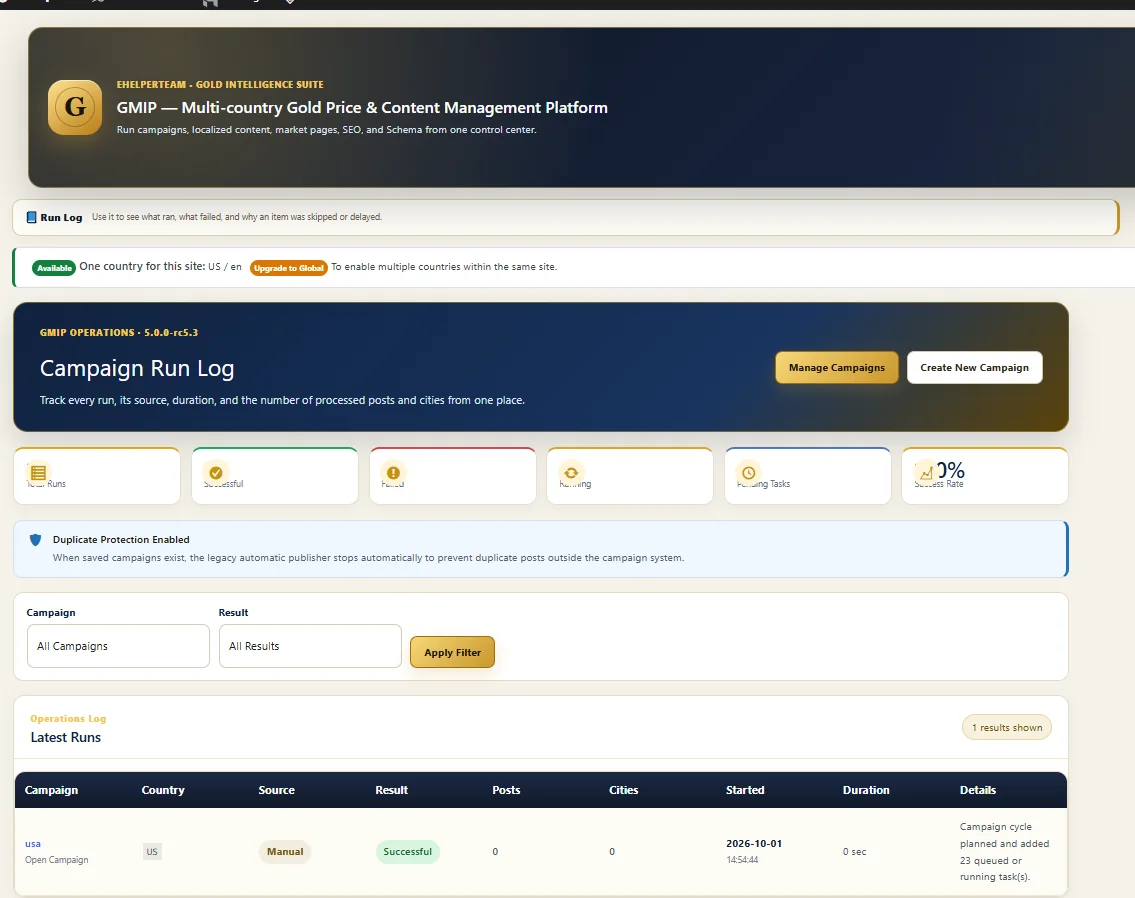
GMIP exposes operational information in both the Command Center and Campaign Run Log. This keeps recurring workflows from becoming a black box after activation.
Review price sources, Cron status, publishing queue, image libraries and campaigns needing review.
See active campaigns, market scope, selected cities and last-run information.
Review campaign, country, result, post activity, city tasks, start time and duration.
Use duplicate-protection logic to reduce repeated output from recurring automation cycles.
Each GMIP landing page explains a different layer of the same product rather than repeating the same generic sales page.
It means recurring gold-market work is organized around publishing campaigns. A campaign controls the market, content mode, location scope, scheduling and publishing configuration used by that workflow.
The current Campaign Builder exposes Daily National Report, City Content, Weekly Report and Price Updates Only as separate content modes.
Yes. GMIP includes selected-city campaign coverage and a Country & City Pages Center for connecting publishing campaigns to country and city pages.
The campaign workflow includes testing and preview before activation. The architecture also defines preview, test drafts, price tests and selected-city tests as pre-activation checks.
No. Price Updates Only is a separate content mode, allowing supported price information to be refreshed without treating every price change as a new editorial article.
The Command Center exposes operational status, while the Campaign Run Log provides run-level details such as the campaign, country, source, result, post activity, city tasks, start time and duration.
No. GMIP automates configured repeatable operations. Publishers still control editorial standards, market selection, content priorities, search strategy and the rules that campaigns are allowed to execute.
See the full GMIP platform, current licensing options and pricing on the main product page.