Repeated editorial operations
- Check market data
- Prepare the report
- Select cities
- Handle categories
- Prepare or select images
- Configure SEO / Schema
- Publish or update
- Repeat on the next cycle
GMIP helps newsrooms and financial publishers organize recurring gold-market coverage inside WordPress — from price data and campaign scheduling to national reports, city content, SEO, Schema, publishing operations and run monitoring.
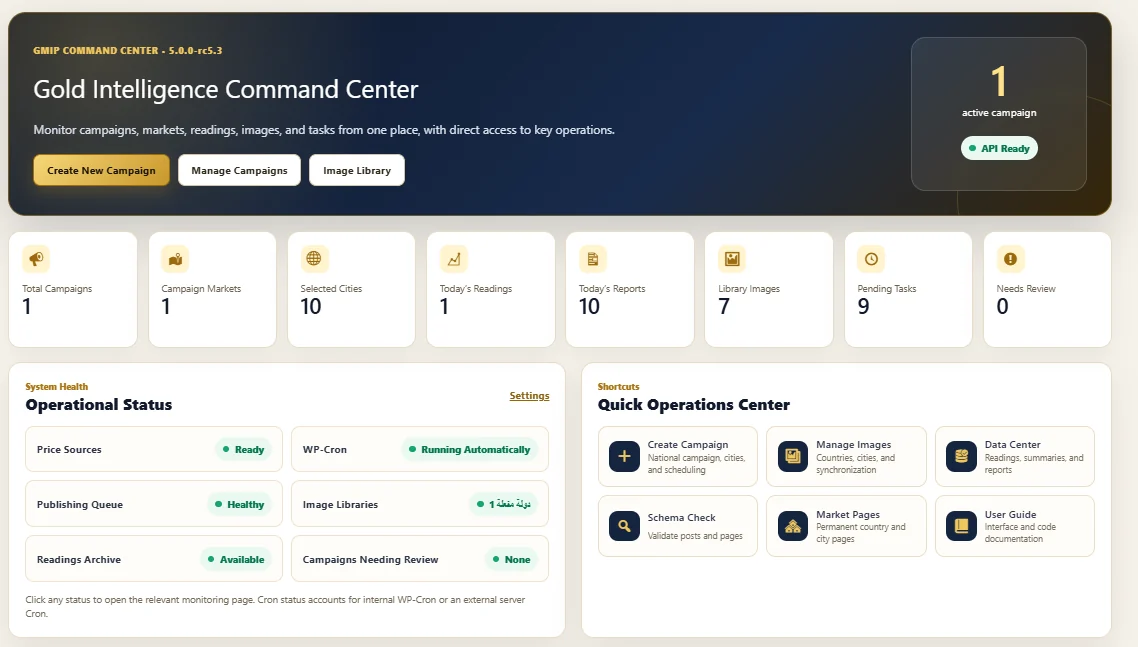
A newsroom may need current prices, a national report, city coverage, categories, images, SEO fields, structured data, scheduling and operational checks. GMIP is designed to turn those repeated steps into configured campaigns rather than asking editors to rebuild the workflow every time.
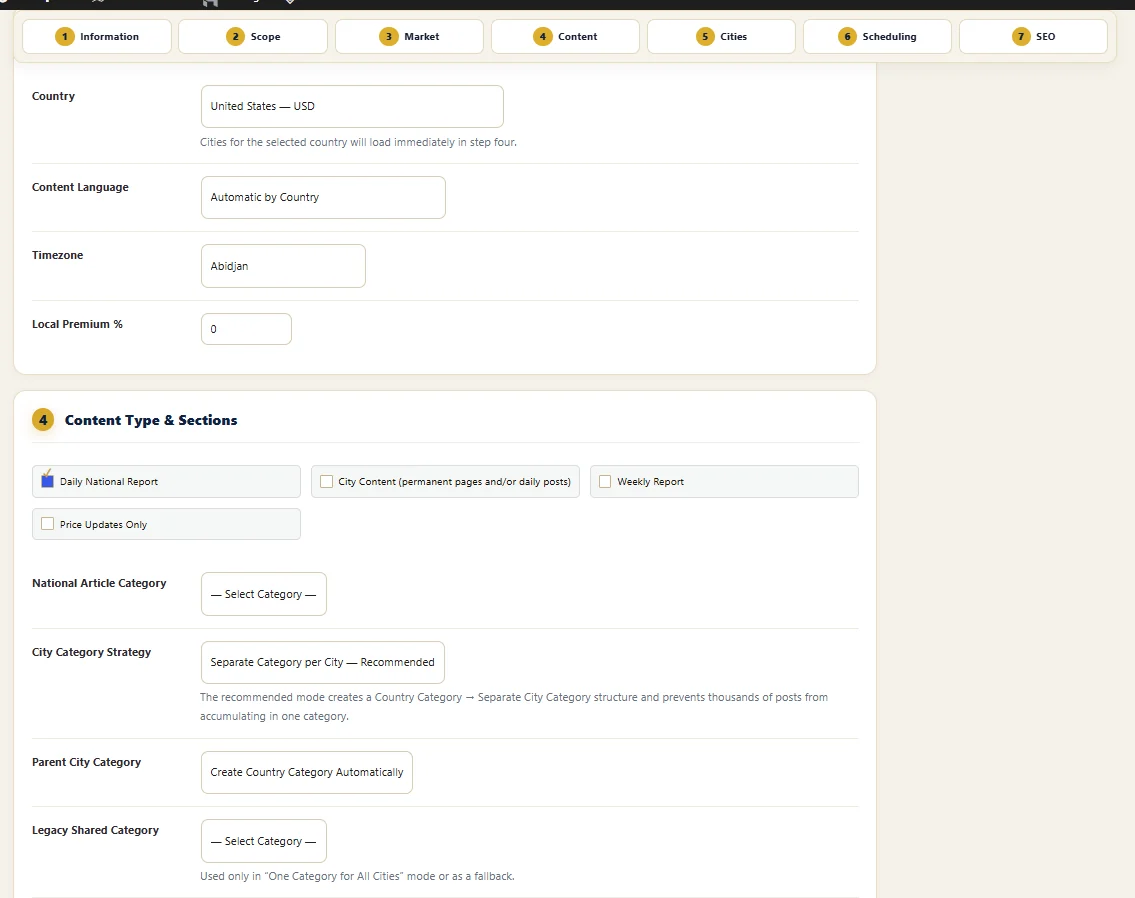
GMIP separates recurring content purposes at campaign level. The current Campaign Builder exposes four distinct content modes so price maintenance, national reporting and city coverage can be operated intentionally.
Use a campaign for recurring national gold-market reporting tied to a selected market.
Build city-oriented coverage using permanent pages and/or recurring posts according to the campaign configuration.
Keep a separate weekly publishing rhythm without mixing it into daily editorial output.
Refresh supported price information without forcing every market change to become a new article.
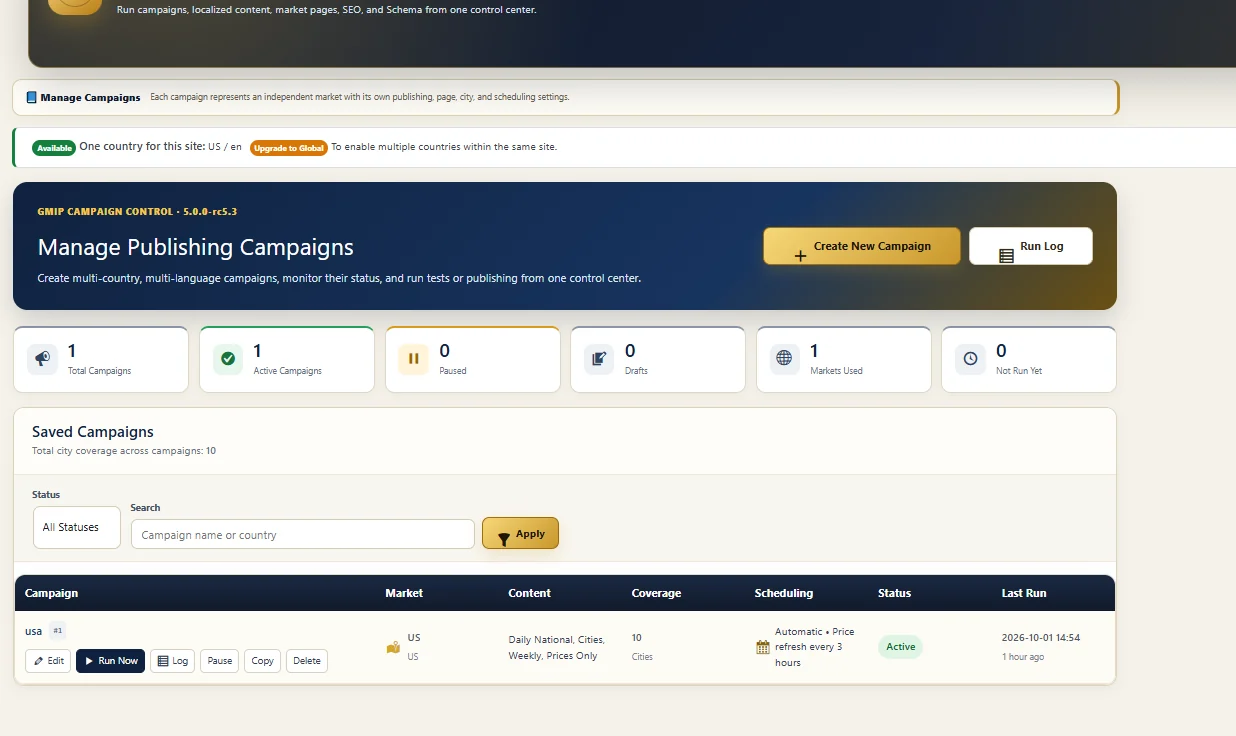
In GMIP, a campaign is the unit that ties publishing decisions together. It can carry market context, content mode, city scope, scheduling and publishing settings so recurring work can be reviewed as a defined operation rather than reconstructed from notes or habits.
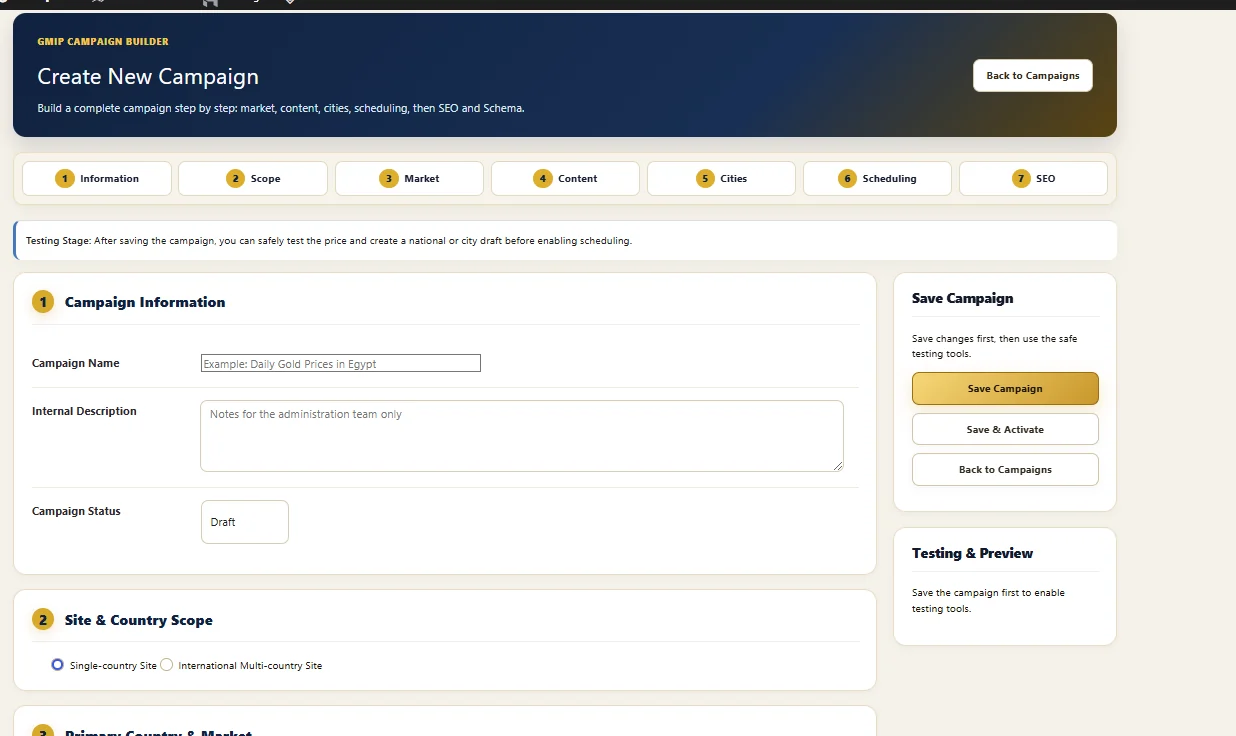
GMIP is not designed around an anonymous “publish everything” switch. The campaign workflow gives the publisher a staged configuration path before recurring execution is enabled.
Name the campaign and set its internal purpose and status.
Choose the site and country scope appropriate to the licensed setup.
Choose market, content, cities, scheduling and SEO settings.
Use the testing and preview stage before enabling recurring operation.
GMIP automates repeatable operations. The publisher still decides the campaign scope, content mode, publication settings and when a workflow should become active.
Gold-price search demand is often geographic. GMIP connects campaigns to permanent country and city pages so a publisher can organize local coverage rather than treat every location as an unrelated one-off article.
Maintain a country-level destination connected to the campaign and market context.
Campaign configuration can use selected cities instead of forcing identical coverage everywhere.
The current Country & City Pages Center exposes page synchronization without deleting existing pages.
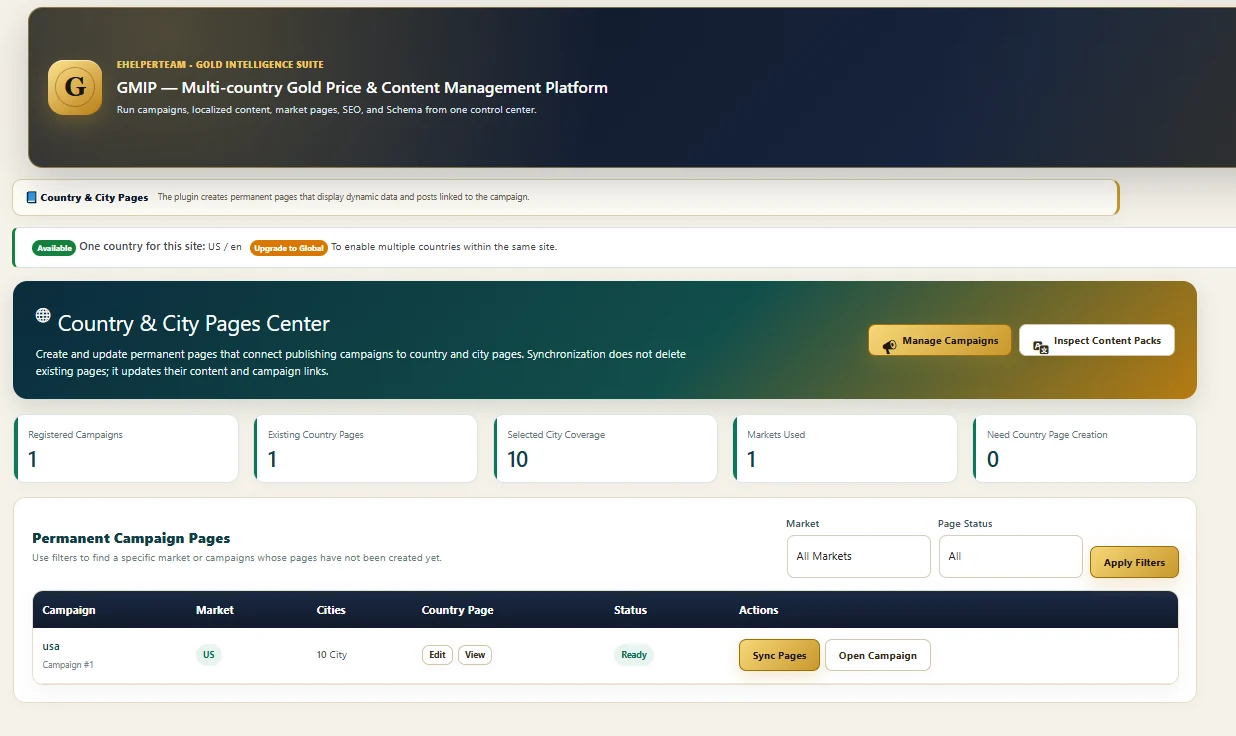
For recurring newsroom workflows, the important question is not only what was scheduled. Teams also need to know whether data sources are ready, whether the publishing queue is healthy, whether tasks remain pending and what happened during a campaign run.
See whether the price-data layer is operational before treating the publishing system as healthy.
Recurring work remains visible as an operational process, not a hidden background assumption.
Editors and administrators can see whether work remains outstanding or requires attention.
Recent campaign status and last-run information can be reviewed from the control center.
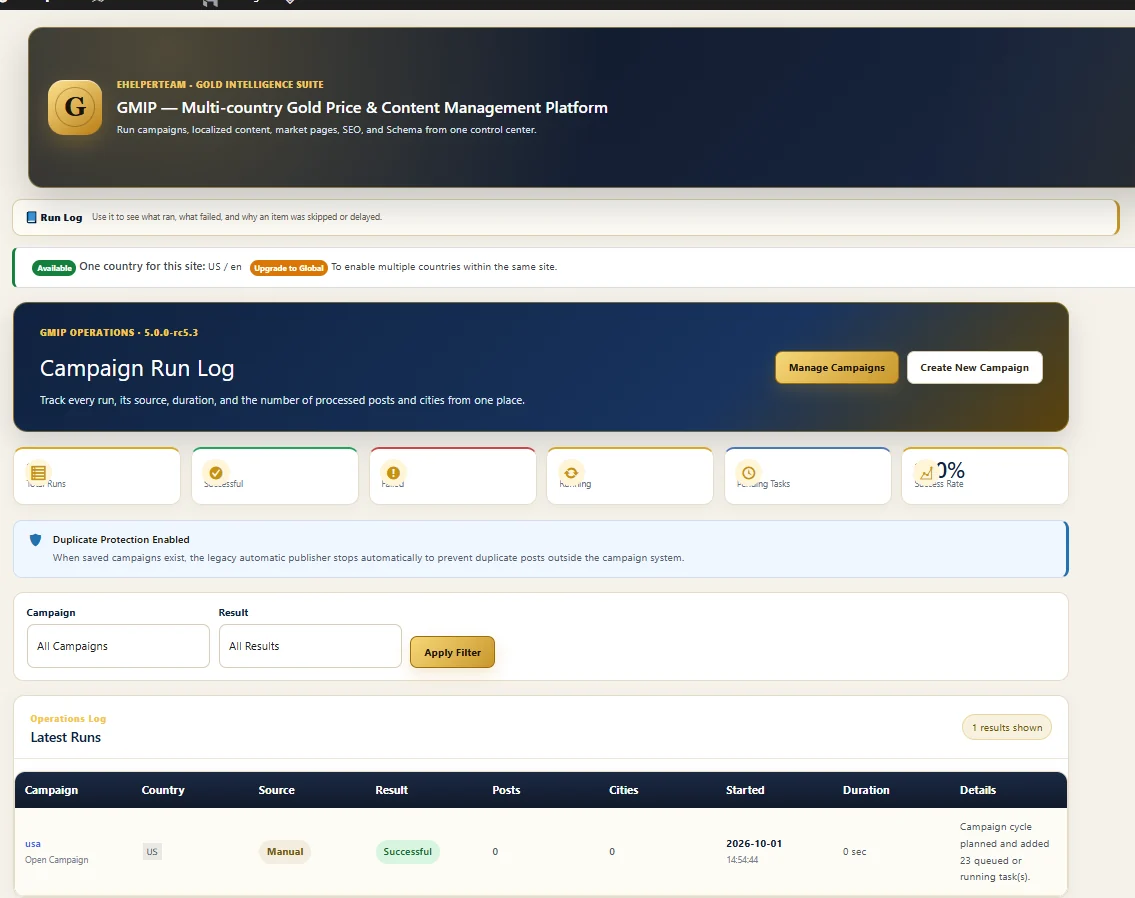
The Run Log gives recurring campaigns an operational history. Instead of relying on memory or only checking the front end, administrators can inspect run-level information and see whether a cycle completed successfully.
The current interface also shows Duplicate Protection Enabled, helping recurring campaign publishing avoid falling back into uncontrolled duplicate-post behavior.
The current Price API Management interface separates primary, secondary and emergency backup API roles and includes health metrics. That gives the publishing operation a dedicated data layer instead of burying price retrieval inside editorial content.
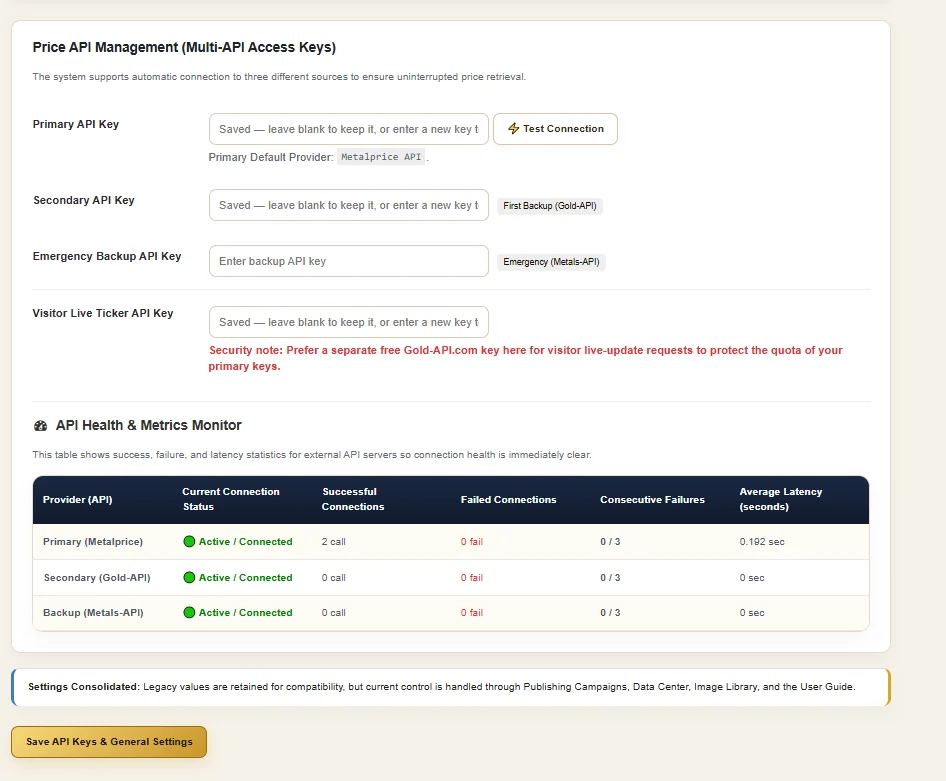
Organize national reports, selected cities and recurring update cycles without rebuilding the workflow each day.
Explore content automation →Connect a visible price-source layer with structured market pages, reports and operational monitoring.
Explore live price workflows →Build country and city architecture around campaigns instead of producing disconnected location pages manually.
Explore multi-country publishing →Use GMIP licensing and campaign structure to standardize recurring gold-market workflows across supported site plans.
Explore the full WordPress plugin →Yes. GMIP is built around recurring gold-market publishing workflows, including national reports, city content, weekly reports and price-only updates, with campaign controls inside WordPress.
Yes. Price Updates Only is a separate campaign content mode from Daily National Report, City Content and Weekly Report, so routine price maintenance does not have to become a new article.
Yes. The current interface includes a Country & City Pages Center linked to registered campaigns and selected city coverage. Campaign configuration also controls the market and relevant cities.
Yes. Campaigns can use recurring scheduling, and the current management interface exposes schedule, campaign status and last-run information for operational review.
The campaign workflow includes testing and preview stages before activation. The underlying campaign architecture also defines preview, test drafts, price tests and selected-city tests as pre-activation checks.
The Command Center surfaces operational status such as price sources, WP-Cron, publishing queue and pending tasks. The Campaign Run Log records run-level fields including result, source, post and city activity, start time and duration.
No. GMIP organizes repeatable operational work. Publishers still control campaign configuration, market scope, content mode, categories, scheduling, publication settings and wider editorial strategy.
Explore the complete GMIP platform, current plans and licensing options on the main product page.